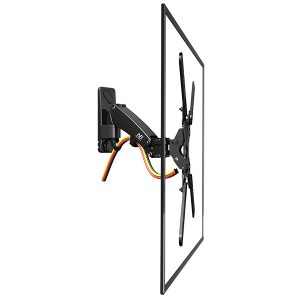
Description
A Catalyst for Classes
Simple Design | Low Parallax |Immersive Learning | UHD Crystal | Responsive Touch
Immersive Display for Learning
thanks to the design’s narrow bezel and thin body, which give it a screen-to-body ratio of up to around 89%.
Accuracy is Key
Crystal Clarity
Responsive Touch
Windows Ink compatible.
20 Points Touch10 Points Writing |
HDMI Out |
Anti-glare GlassMohs Level 7 Hardness |
Android 8.0System |
Optional PCModule |
Shared USBPorts |
Purpose-Built Education Whiteboard
Smart IllustrationA re-invented whiteboard that |
|
Handy ToolsA ruler, set square or |
|
Shapes RecognitionAutomatically straightens up |
|
Instant StickersAdd reminders to the whiteboard, |
|
Smart TableAuto-adaptive height and |
|
Boundless CanvasExtends the canvas in all |
|
Handwriting RecognitionConvert handwriting to text to |
|
Search & DragSearch with whiteboard writing and |
New Features for MAXHUB 1.0
Home Page CustomizationDrag a preferred app onto the homepage
|
Screen RecordingCapture and share what you write
|
Lock ScreenPrevent unauthorized login
|
Bring Your Classroom to Life with EasiNote5
Highlight Student Work
When students create work they are proud of, teachers can share it with the whole class. MAXHUB IFP highlights the work by mirroring students’ IOS, Android, Windows and Mac devices inside a zone.
Video-linked Lessons
More and more teachers are using videos to boost student engagement in the classroom. Snowflake provides video-linked lessons and easy access to YouTube.
Save Time on Planning Lessons
The Snowflake content library gives access to standard-aligned lesson activities created by teachers for teachers. Better yet, they can get started right inside Snowflake
Focus on Student-Centered Learning
Snowflake is an educational platform that provides schools, teachers and students with anengaging, active learning experience. It mixes perfectly with MAXHUB IFP, which moves education from teacher-centric to student-centric learning
Smart Education System
- Online Troubleshoot
- Report a problem by scanning a QR code or taping on MAXHUB
- OTA Upgrade
- Get updates over the internet
- Dual-tasking in split view
- Compare differing content on a single screen
- Home page shortcuts
- Drag a preferred app onto the homepage
Specifications
Display
- Model : E8620
- Diagonal Size(inch) : 86
- Dimension : 1956.7×1159.7×99.6
- Backlight : Direct-lit LED
- Display Ratio : 16:9
- Resolution : 3840(H)*2160(V)
- Viewing Angle : 178°(H/V)
Dimension & Weight
- Product Dimensions(WxHxD) :
1969 x 1184 x 97 mm
77.52 x 46.61 x 3.82 inch - Shipping Dimensions(WxHxD) :
2121 x 1304 x 225 mm
83.50 x 51.34 x 8.86 inch - Net Weight(kg /pounds) : 60.6kg / 133.6 pounds
- Gross Weight(kg /pounds) : 81.5kg / 179.68 pounds
- Wall Mount(VESA) : 800 x 600mm / 31.50 x 23.62inch
- Screws For VESA : M8 x 25mm / M8 x 0.99inch
Touch System
- Glass Material : Anti-glare tempered glass
- Touch Technology : Infrared
- Max Touch Points Supported : 40
- Response Time : ≤10ms
- Touch Accuracy : ±1.5mm
Speaker
- Speaker Quantity : 2
- Power : 2*12W
Display Connectors
- HDMI in : 3
- HDMI out : 1
- VGA in : 1
- USB 2.0 : 1
- USB 3.0 : 4
- USB Touch Output : 2
- RS232 : 1
- LAN (RJ45) : 1
Build-in Operating System
- CPU : Mali-G52 MP2
- RAM : 4 Gb
- ROM : 32 Gb
- Operating System : Android 11.0, supports slot-in PC Module
PC Module
- Operating System : Windows 10
- CPU : Core i5/i7
- RAM : 8 Gb / 16Gb
- Storage : 128Gb / 256Gb
Enviroment Requirement
- Power Supply : AC100-240V, 50/60Hz
- Altitude : below 5000 meters
- Standby Power Consumption : ≤0.5W